
Wedding seating plan
Make your wedding seating plan without the spreadsheet stress
A good seating plan puts people where they'll enjoy the day. Here's how to approach it — and how Tablewise keeps every decision in one place.
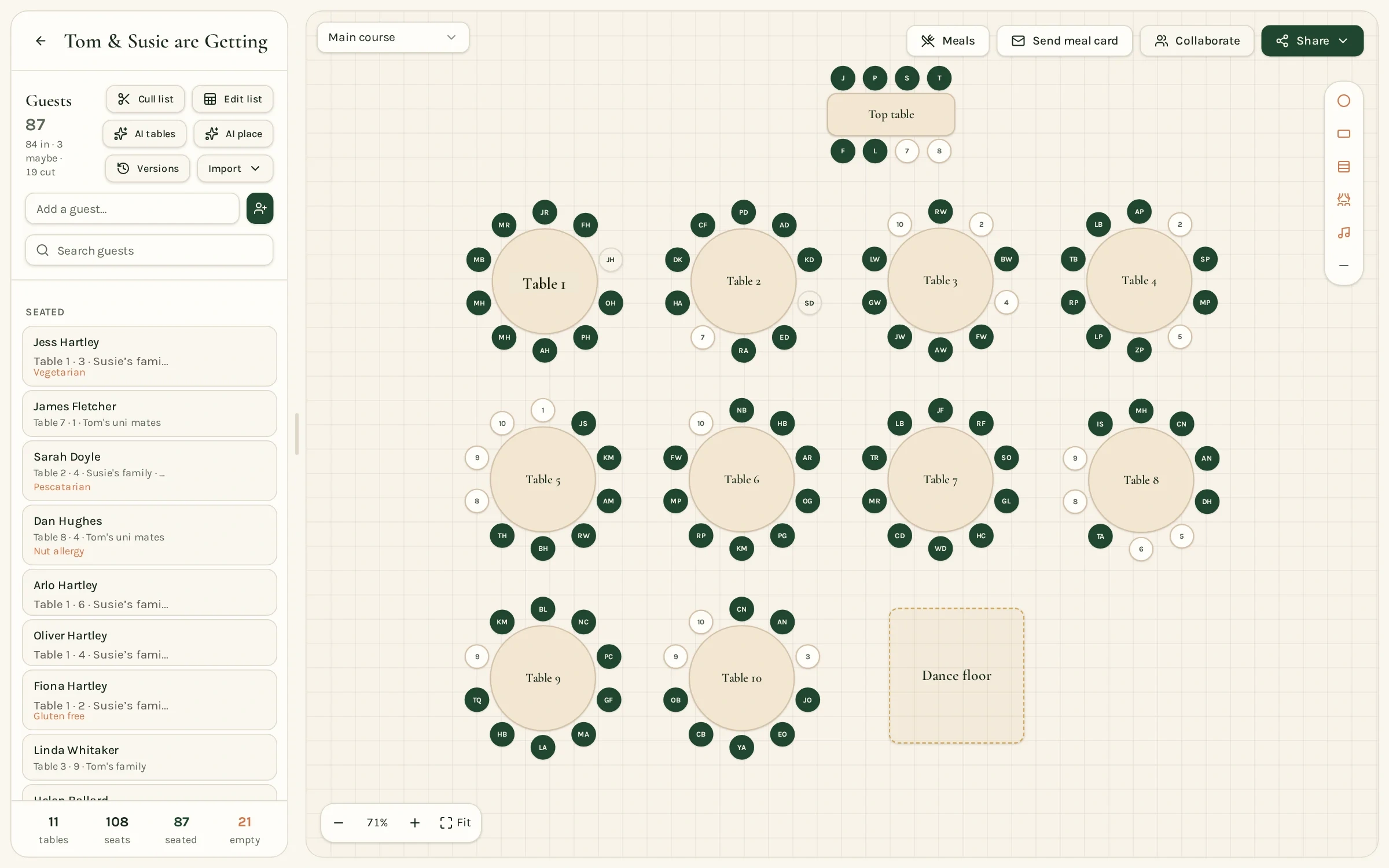
Start with your tables, not your guests
Draw the room first: how many tables, how many seats each, and where the dance floor and top table sit. Knowing your real capacity stops you building groups that can't fit anywhere.
In Tablewise you add round or long tables, set the seat count and drag them into place, so the plan matches what the venue will actually set up.
Keep couples and families together
Most guests are happiest beside the person they came with. Seat couples side by side, then build each table around a household or a friendship group.
Give each guest a party or group in your list — it makes it easy to see who belongs together when you start placing people.
Plan around awkward relationships
Divorced parents, a recent break-up or a long-running family feud are easier to handle on paper than on the day. Note who should sit apart before you start, rather than discovering clashes at the end.
Tablewise lets you record simple instructions such as keep apart or seat together, and shows whether your plan respects them.
Children and plus-ones
- Seat young children near their parents, or give older children a table of their own close by.
- Put plus-ones with their partner and at least one other person they know.
- Leave a seat or two spare if your guest list may still change.
Decide your top table approach
There's no single right answer. Some couples use a traditional long top table with the wedding party, others prefer a sweetheart table for two, and some sit with family on a round table. Choose what suits your families and your room, then plan the rest around it.
How Tablewise helps
- Import your guest list or type it in.
- Let AI suggest a first draft, then drag and swap to make it yours.
- Collect meal choices and dietary needs from guests.
- Share a read-only plan, a guest seat-finder, or print a seating chart and name cards when you're ready.
Free to build, save and edit.
Pay once per wedding only when you want to share, export or print.